Liquid Glass UI

Figma Plugin

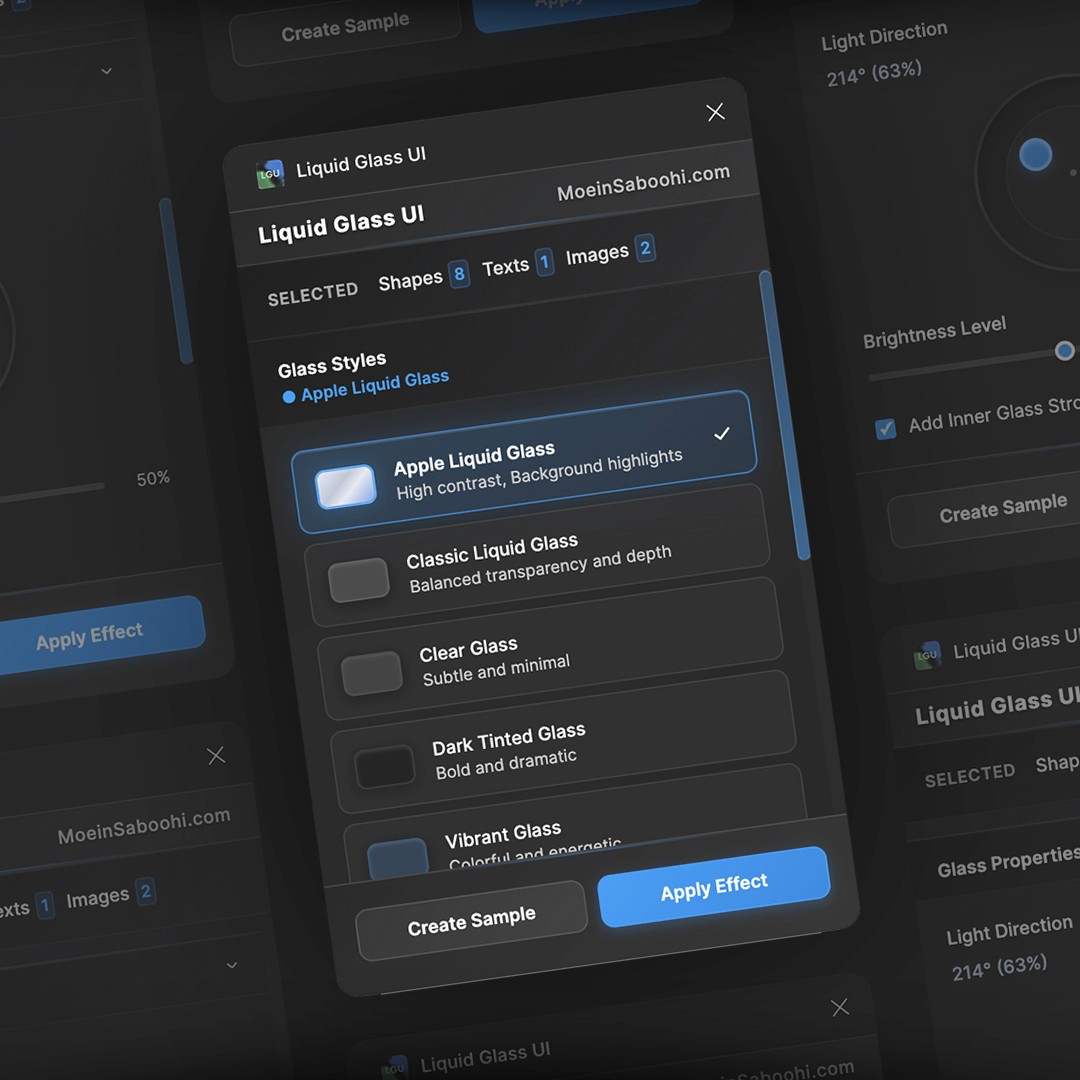
Liquid Glass UI is a Figma/FigJam plugin that allows you to apply stunning, Apple-style glassmorphism effects to your interface components with ease, turning panels, cards, and overlays into sleek, translucent layers with depth and elegance.
Problem

The liquid glass look, Apple’s signature 2025 design trend, adds soft translucency and depth, but applying it across existing designs can be complex and time-consuming.

Audience

Built for UI/UX and product designers, web and mobile creators, and design teams who want to bring Apple-style, translucent effects into their projects with ease.

Softwares

Cursor

Cursor

Figma

Figma

Liquid Glass UI

Problem

The liquid glass look, Apple’s signature 2025 design trend, adds soft translucency and depth, but applying it across existing designs can be complex and time-consuming.

Audience

Built for UI/UX and product designers, web and mobile creators, and design teams who want to bring Apple-style, translucent effects into their projects with ease.

Softwares

Cursor

Cursor

Figma

Figma

Overview

Liquid Glass UI brings the elegance of translucent, frosted glass effects, akin to Apple’s design language, directly into your design workflow. With minimal effort, you can convert regular shapes into beautifully layered, semi-transparent elements that enhance visual hierarchy, depth, and cohesion in your UI designs.

Problem

Designers who try to replicate glass or “frosted glass” effects manually often struggle with multiple layered elements, background blur, color overlays, and consistent opacity controls. These steps are tedious, error-prone, and difficult to standardize across screens and states. As a result, designs may look inconsistent or break when updated.

Audience

Liquid Glass UI is tailored for:

  • UI/UX Designers who want to add sophistication and depth to their interfaces

  • Web & App Designers seeking polished translucency effects

  • Design Systems Teams that need consistent glass styles across screens

  • Figma/FigJam Users who embrace modern design aesthetics

  • Anyone inspired by Apple’s glass effects and wanting to incorporate similar elegance into their work

How It Works

  1. Select a shape, rectangle, or UI element in your Figma or FigJam file.

  2. Open the Liquid Glass UI plugin panel.

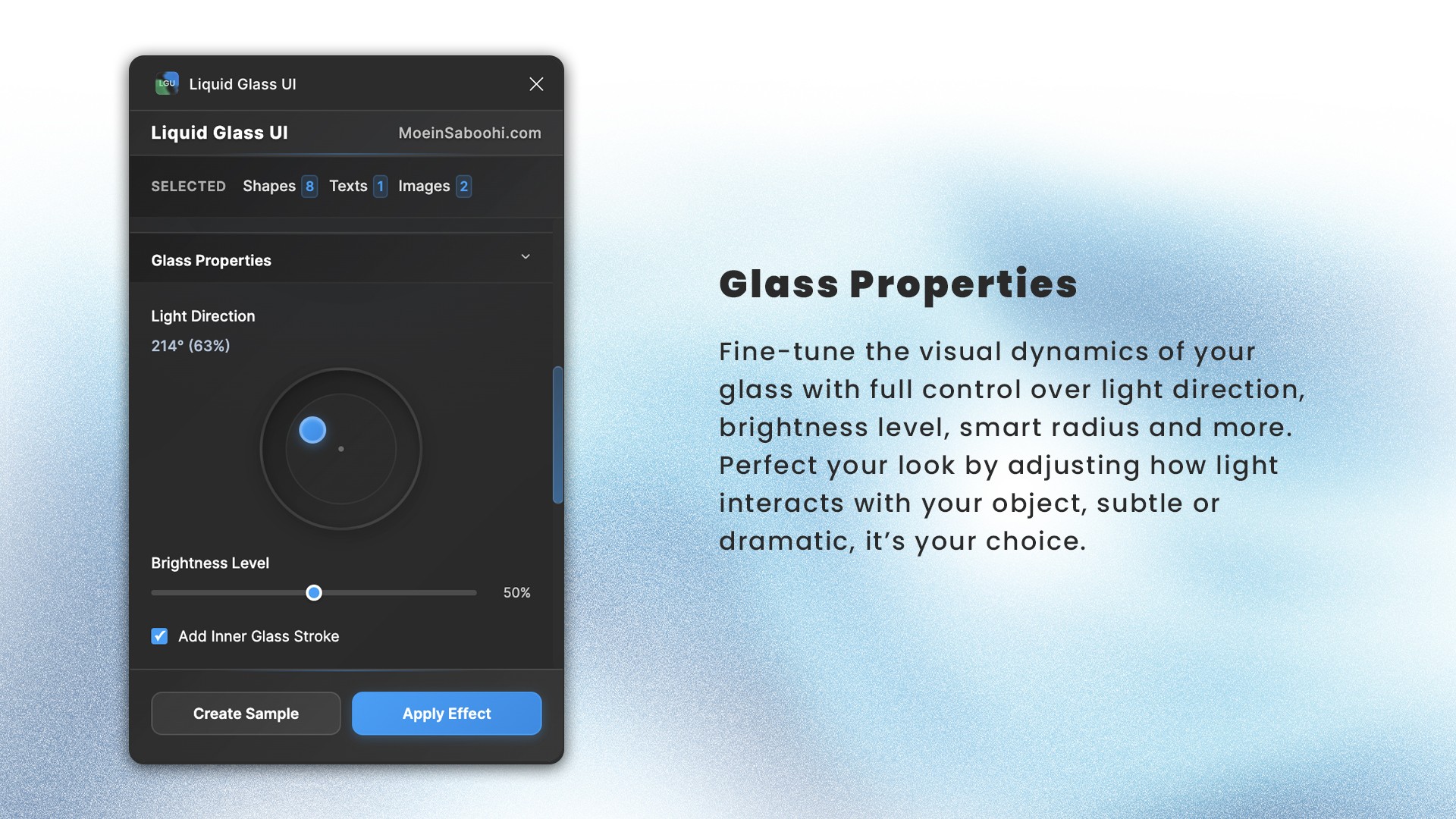
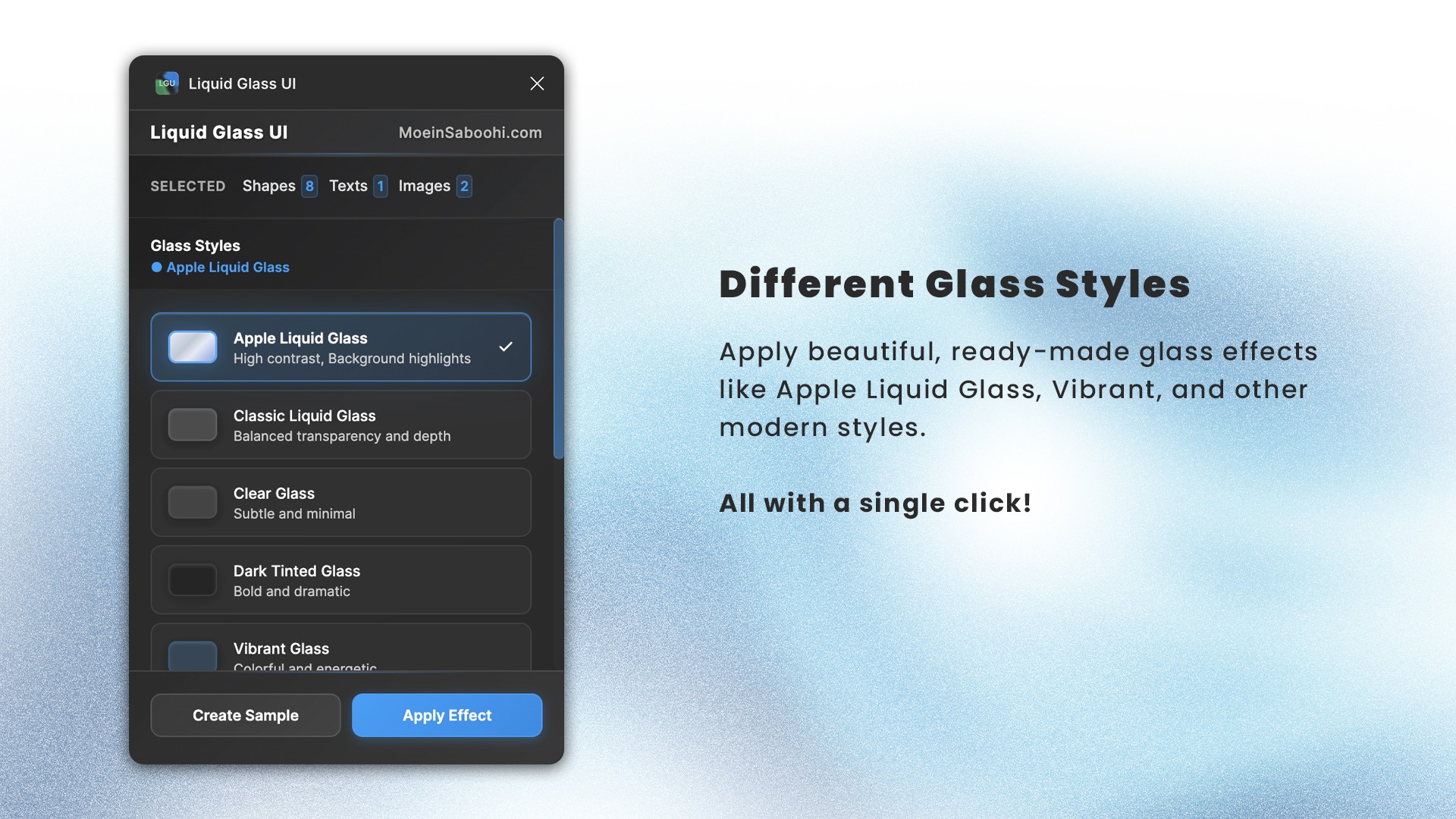
  3. Choose your desired blur strength, transparency, tint color, and shadow depth.

  4. Click “Apply Glass Effect”, the plugin transforms your selected elements into refined, Apple-style translucent glass layers instantly.

Impact

  • Saves time: no more manual layering and tweaking

  • Maintains consistency: standard glass styles across your project

  • Elevates design aesthetics: adds depth, elegance, and a premium feel

  • Encourages experimentation: try different glass intensities effortlessly

  • Bridges design and brand: helps deliver screens with modern, clean visual language


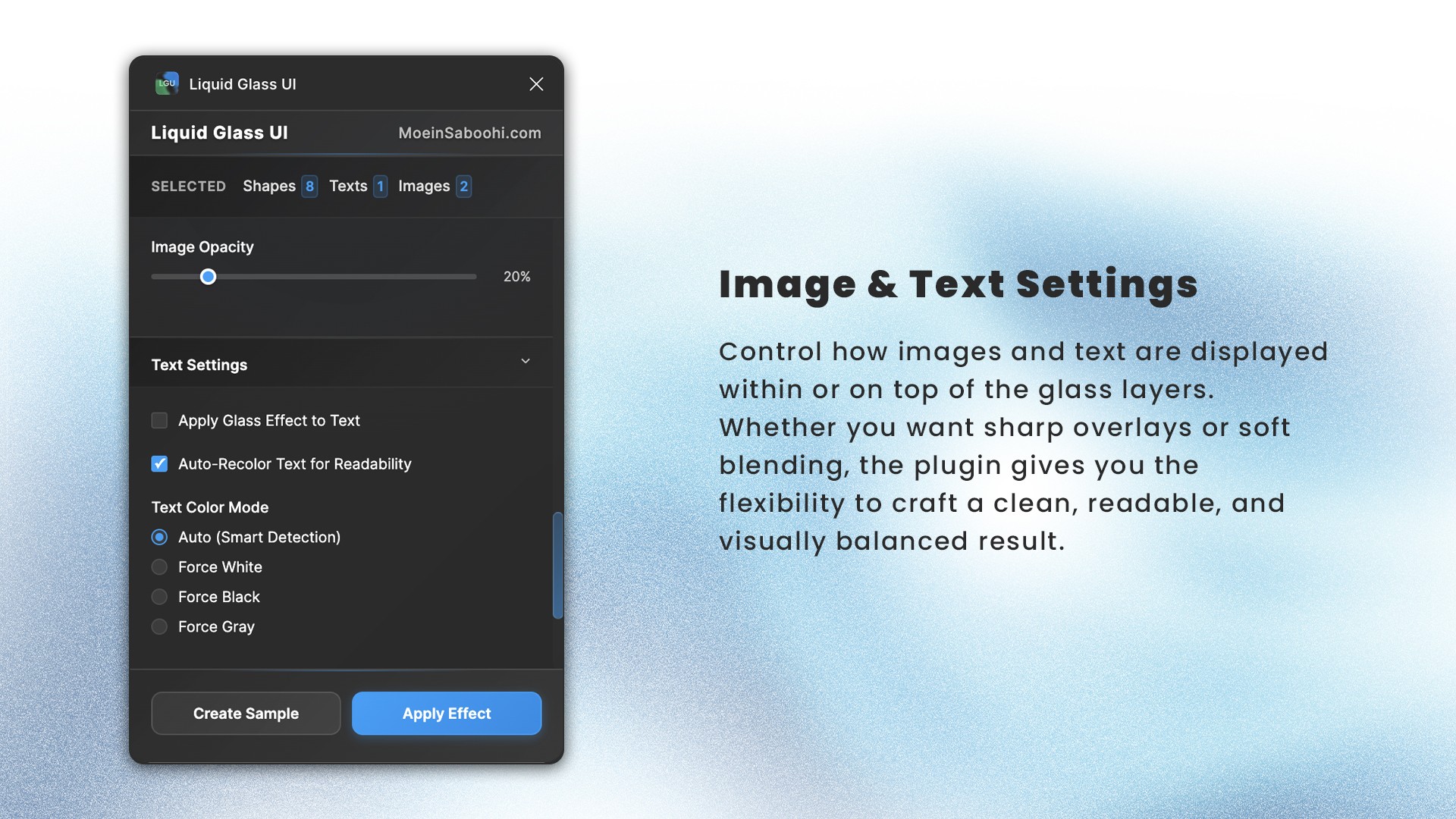
Below are some preview images of how the plugin works:
Liquid Glass UI
Liquid Glass UI
Liquid Glass UI
About

I'm a product designer focused on complex workflows and reusable systems. I use working prototypes to test ideas and work with engineering through implementation and design QA.

Previous

Previously, I worked as a Senior Product Designer at Bettermode on enterprise onboarding, community templates, and the app design system. Before that, I was a Senior Designer at JobVision, working on job-search workflows, a shared design system, and the Annual Salary Report.

Current

I co-founded Kolig, an AI workspace for teams. I lead product and design for AI teammates, using prototypes to test new workflows. Alongside Kolig, I work as a Product Designer at SCRYPT.

Other Experiences

Design Mentor at ADPList

Digital Designer, Gaming at Cafe Bazaar

About

I'm a product designer focused on complex workflows and reusable systems. I use working prototypes to test ideas and work with engineering through implementation and design QA.

Previous

Previously, I worked as a Senior Product Designer at Bettermode on enterprise onboarding, community templates, and the app design system. Before that, I was a Senior Designer at JobVision, working on job-search workflows, a shared design system, and the Annual Salary Report.

Current

I co-founded Kolig, an AI workspace for teams.

I lead product and design for AI teammates,

using prototypes to test new workflows.

Alongside Kolig, I work as a Product Designer

at SCRYPT.

Other Experiences

Design Mentor at ADPList

Digital Designer, Gaming at Cafe Bazaar

About

I'm a product designer focused on complex workflows and reusable systems. I use working prototypes to test ideas and work with engineering through implementation and design QA.

Previous

Previously, I worked as a Senior Product Designer at Bettermode on enterprise onboarding, community templates, and the app design system. Before that, I was a Senior Designer at JobVision, working on job-search workflows, a shared design system, and the Annual Salary Report.

Current

I co-founded Kolig, an AI workspace for teams. I lead product and design for AI teammates, using prototypes to test new workflows. Alongside Kolig, I work as a Product Designer at SCRYPT.

Other Experiences

Design Mentor at ADPList

Digital Designer, Gaming at Cafe Bazaar